Managing client portfolios, maintaining security, and delivering a seamless client experience all demand the right tools. Our latest release is designed to help you do all three with greater precision and confidence.
Let's explore what's new:
Tamarac Trading
Manage liquidity more precisely with security reserves
Security reserves give you a new way to keep client assets invested while still meeting liquidity needs. Rather than depending on cash reserves alone, you can now dial in preferred values for sweep cash and other traded securities like money market funds, mutual funds, equities, ETFs, and fixed income securities.
You can set a security reserve goal amount and thresholds, just as you would for a cash reserve. When sweep cash needs to be funded, Tamarac Trading will intelligently sell from the security reserve down to the lower threshold before selling from the rest of the portfolio. Any amount above the reserve goal behaves like a normal holding and remains available for trading, modeling, and funding directed trades.
Security reserves are available now and can be accessed in the following locations in Tamarac Trading:
- Rebalancing settings. Set up Security Reserves next to Cash Reserves in the Cash Management settings of an account.
- Rebalance Summary report. See combined cash and security reserve goals and values in the Reserve Summary and Reserve Detail widgets, including post rebalance values when applicable.
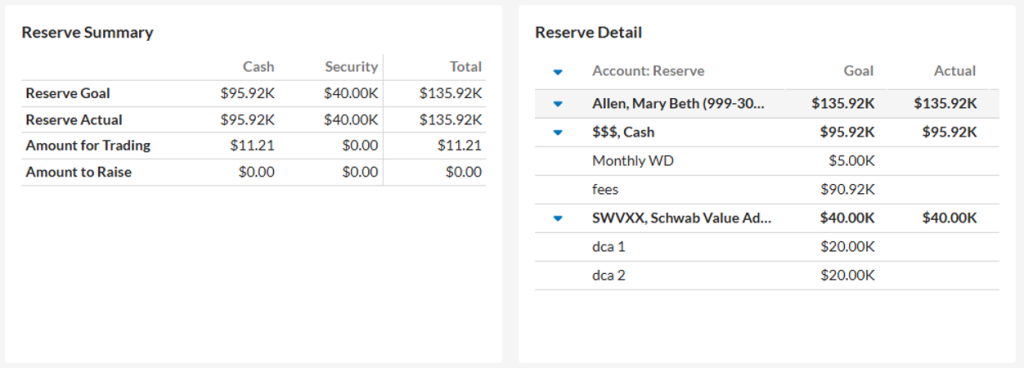
- Rebalance page. View real-time security reserve balances against goal amounts in the new Security Reserve Actual and Security Reserve Goal columns.
- Grids and trade reviews. When a security is designated as a reserve in an account, that designation appears in the in the security description.
- Bulk Uploads. We’ve expanded the former Cash Reserves upload data set to an Account Reserves data set, allowing you to upload cash and security reserves at the same time. If you don’t provide a security symbol, Tamarac automatically creates a cash reserve. All headers are backward compatible with existing files.
Tamarac Reporting – Report Studio
Manage shared access for reports, sections, and modules
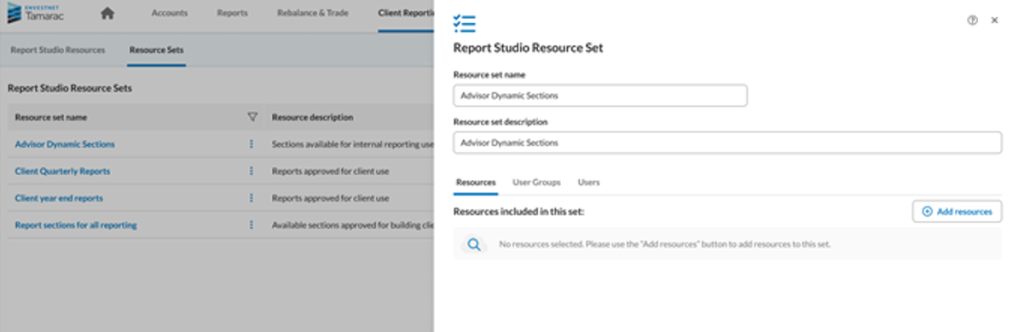
Report Studio now gives you more granular control over shared content. When you make a report, section, or module public, you can choose exactly who can access it, down to specific Resource Sets, user groups, or individual users, and update those settings anytime from within the editor or the main Report Studio page.
To get started, look for the new Manage access link when you select Mark as publicly accessible (visible to users with the appropriate permissions). Resource Sets are created and managed within Report Studio, while users and user groups are managed outside of it.
Tamarac Reporting – Client Portal
News page in the Client Portal
The Client Portal now includes a configurable News page powered by RSS feeds, accessible from the left navigation pane. Articles are organized into tabs by feed group, with each group displaying up to 100 articles with the most recent at top. Selecting Read more opens the article in a right-side flyout, and the layout adapts to desktop, tablet, and mobile devices.
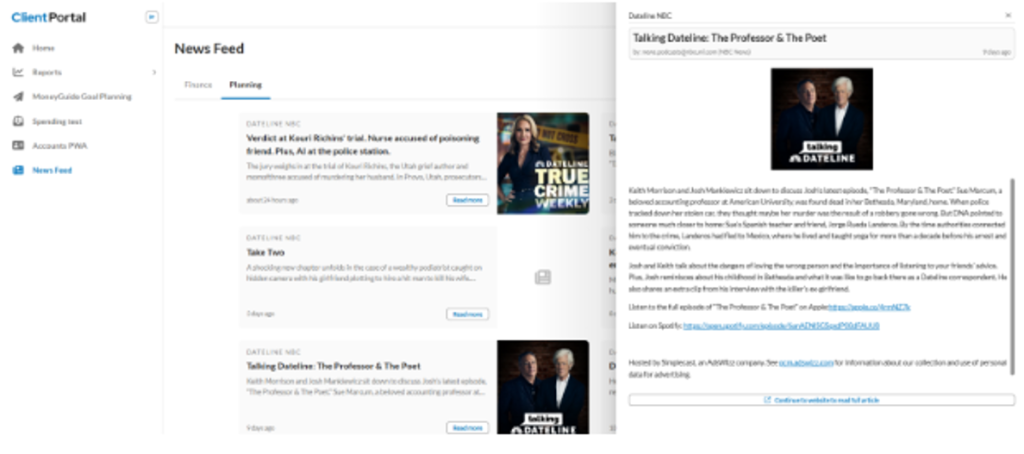
If a feed is invalid or unavailable, the portal displays a clear error message. When administrators add a new RSS feed, Configuration Management validates the URL and flags any that are broken or empty.
New bond analysis bar chart widget
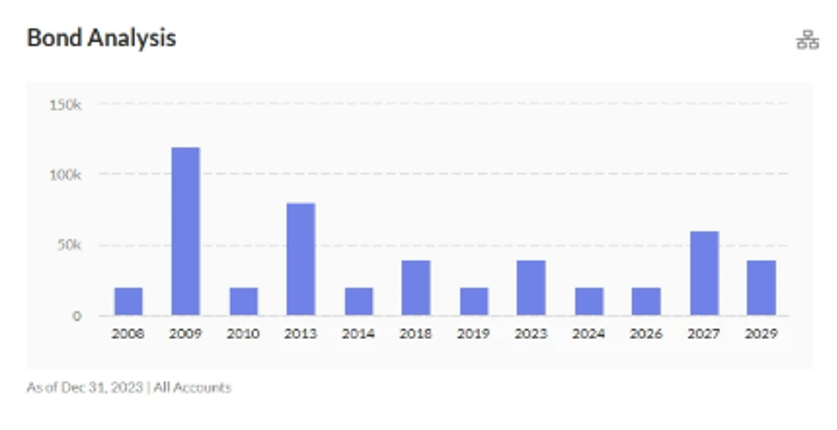
The Unified Client Portal now includes the Bond Analysis Bar Chart widget for a clear view of bond maturities by year. Use the dropdown menu to filter by account, set an as-of date, and select your preferred security types. Your selections are reflected automatically as data changes. The chart title is customizable, and the layout is fully responsive across all supported devices.
H3: See MoneyGuide upcoming goals in the Client Portal
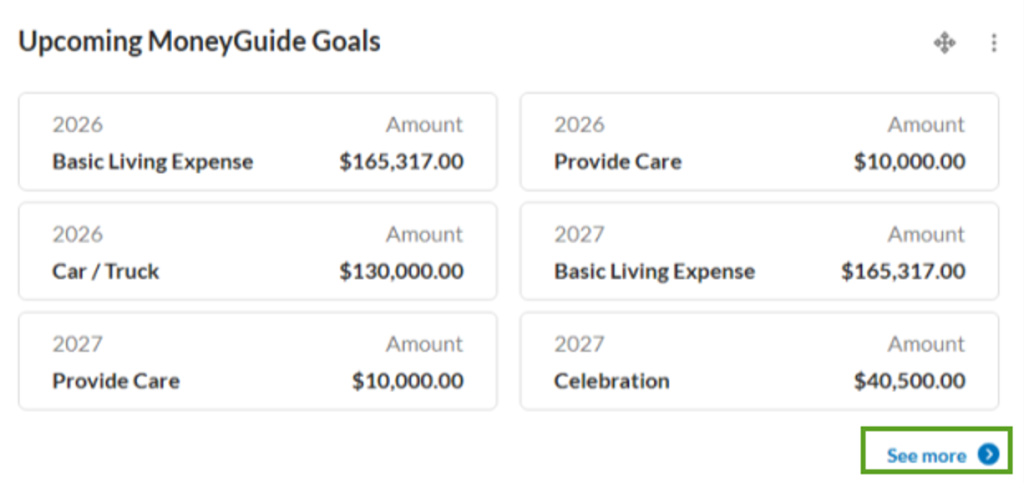
The new Upcoming MoneyGuide Goals widget is now available on the Home page so clients can easily see their upcoming goal events. This configurable widget can be added to pre-built dashboards or custom client dashboards. It displays up to six goals with the goal name, year, and amount.
Additional goals can be viewed by clicking the See more link or by selecting the link in the widget to open the full MoneyGuide Goal Planning page.
We’ve also enhanced the MoneyGuide Goal Planning page. Goal details that previously appeared in a popover are now displayed directly on the page, making it easier to view goal information at a glance. The page is also more responsive, with an improved experience on mobile devices.
Bulk document upload and download for the Client Portal
Clients can now upload and download multiple documents at once in the Client Portal, making it easier to exchange statements, tax documents, onboarding materials, and more.
Tamarac Reporting – Systems settings
Expanded password expiration controls and notification
To help keep client data secure, passwords now expire on a firm-defined schedule of up to 180 days. Starting 10 days before expiration, users will see a once-per-day reminder at sign-in to reset their password or defer for a day.
Once a password expires, users will be prompted to reset it before they can sign in. Firms can customize the expiration interval in System Settings under User Security.
Expanded session timeout controls and notifications
Tamarac now supports configurable session timeouts for both advisors and clients to help protect accounts without interrupting active workflows.
- Clients: Sessions expire after 5 to 60 minutes of inactivity.
- Advisors: Sessions expire after 5 to 90 minutes of inactivity.
A new notification alerts users before their session expires, with the option to extend it directly from the notification.
Building better together
These updates reflect our ongoing commitment to building tools that work the way you do. As you explore what's new this spring, we'd love to hear how these features are working for you. Your feedback helps shape what comes next.
Visit www.envestnet.com/rias or email us at riasales@envestnet.com to learn more.